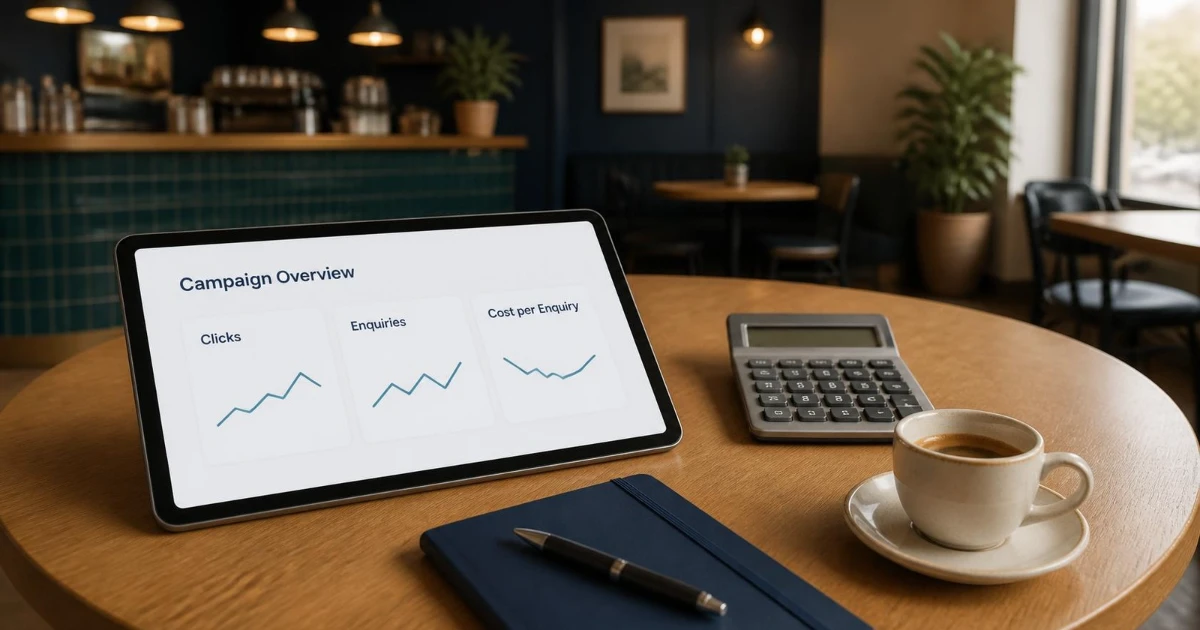
How do you know if your Google Ads are working? Not from clicks or impressions alone. Those numbers show that your ads are running, not that they're bringing in business. A campaign is working when it brings in genuine enquiries or sales at a cost that makes sense for your business, from the kind of searches you actually want to be found for.
This guide gives you seven practical checks to find out, in plain language. It's written for small business owners in the UK, US, Canada, Australia and elsewhere who run Google Ads themselves or pay someone to manage them. You don't need to be a Google Ads expert to use it.
The 7 key checks at a glance
- 1. Tracking: is Google Ads recording real enquiries and sales, not just clicks?
- 2. Cost: does each lead or sale cost less than a customer is worth to you?
- 3. Searches: are you paying for searches that match what you sell?
- 4. Lead quality: are the enquiries turning into real customers?
- 5. Data: have you given the campaign enough time and conversions to judge it fairly?
- 6. Reporting: do you understand why Google Ads and Google Analytics show different numbers?
- 7. Visibility and landing page: are your ads actually showing, and does the page people land on make it easy to get in touch?
Check 1: Is conversion tracking measuring real enquiries and sales?
Everything else depends on this. In Google Ads, a "conversion" is an action you've told it to count as valuable. Typical examples are a contact form being submitted, a phone call, a booking or a purchase. If conversion tracking is missing or counting the wrong thing, your conversion-based figures, such as conversions, cost per conversion, conversion value and ROAS, will be misleading. Automated bidding will also optimise towards the wrong goal.
Why it matters: a campaign can look successful because it's counting page views or button clicks as conversions, while the phone never rings. It can also look like it's failing because genuine enquiries aren't being recorded at all.
What to do:
- In your Google Ads account, open the list of conversion actions and check that each one represents a real business outcome, such as a completed enquiry form or a purchase. Visiting a page isn't one.
- Submit a test enquiry yourself and check it appears in your reports. Allow a little time for it to show.
- If customers often phone you, track calls. Google Ads can count a call from your website as a conversion when it lasts longer than a minimum length you set, so very short calls don't count.
- Ask whoever manages your account about enhanced conversions. Google says they can improve the accuracy of conversion measurement by securely using hashed first-party data, such as an email address entered in a form.
If your website tracking needs sorting out first, our guide to tracking enquiries in GA4 walks through the basics, and our analytics and reporting service can set it up for you.
A note on consent: in some countries, visitors must agree before advertising cookies are used. Google's EU user consent policy requires advertisers to get consent from users in the European Economic Area, the UK and Switzerland where it's required. When people decline, some of their conversions may not be measured, so expect your reported numbers to undercount reality to some extent.
Check 2: Does each lead or sale cost less than a customer is worth?
A low cost per click looks appealing, but it says little on its own. What matters is cost per conversion: what you paid, on average, for each enquiry or sale.
Why it matters: cheap clicks that never turn into enquiries are expensive. More costly clicks that regularly turn into good customers can be very profitable.
What to do: work out the most you can afford to pay for a lead. Here's a simple, illustrative calculation:
- Estimate the profit from an average new customer (not just the first sale, if customers usually come back).
- Estimate how many enquiries it takes to win one customer, from your own records.
- Divide the profit by the number of enquiries. That's roughly your break-even cost per enquiry. For example, if a customer is worth 1,000 in profit in your currency, and one in five enquiries becomes a customer, each enquiry is worth up to about 200 before you lose money.
Then compare that figure with your actual cost per conversion. If you sell online and track sales values, also look at return on ad spend (ROAS): the value of sales generated for every unit of currency spent. Google describes a target ROAS as the average conversion value you'd like to get for each amount you spend on ads.
Use your own numbers rather than industry averages. Averages from other businesses and markets tell you very little about whether your campaign is profitable.
Check 3: Are you paying for the right searches?
Your keywords aren't the same as the searches people actually type. Depending on your settings, your ads can show for related searches that may or may not suit your business.
Why it matters: a lot of wasted budget comes from searches that don't match what you offer. Examples include people looking for jobs, free information, a different service, or a location you don't cover.
What to do:
- Open the search terms report, which shows how your ads performed when triggered by actual searches.
- Add irrelevant searches as negative keywords, so your ads stop showing for them.
- If you use Performance Max campaigns, check the Performance Max search terms report as well.
- Review it regularly. Weekly is a sensible rhythm while a campaign is new.
Check 4: Are the leads turning into real customers?
Ten enquiries that go nowhere are worth less than two that become customers. Google Ads can't see what happens after someone fills in your form unless you tell it.
Why it matters: without feedback on lead quality, a campaign can be optimised towards the cheapest enquiries rather than the best ones.
What to do:
- Keep a simple record of where each enquiry came from and whether it became a customer. A spreadsheet or customer relationship management (CRM) system is enough to start.
- Ask new customers how they found you, as a cross-check.
- As you grow, consider importing offline conversions. This lets you measure what happens after the click, such as a sale agreed over the phone. Google Ads also supports qualified and converted lead goals for this purpose.
Check 5: Have you given it enough time and data?
Judging a campaign after a few days, or a handful of clicks, usually leads to the wrong conclusion in either direction.
Why it matters: automated bidding needs data to learn. When you evaluate campaigns that use Smart Bidding, Google recommends measuring performance over longer time periods that have at least 30 conversions, such as a month or longer, or 50 conversions for Target ROAS. That's guidance for judging results fairly. It isn't a requirement for running Google Ads, and smaller accounts may simply need a longer period to collect enough data. Conversions can also be reported days or weeks after the original click, so the most recent days often look worse than they really are.
What to do:
- Agree a review period before you start, long enough to collect meaningful data for your budget and sales cycle.
- Avoid making big changes every day. Frequent changes can reset learning and make results harder to read.
- Compare like with like, such as this month with last month, rather than reacting to a single good or bad day.
Check 6: Why do Google Ads and Google Analytics show different numbers?
It's normal for Google Ads and Google Analytics 4 (GA4) to report different conversion figures. That doesn't automatically mean something is broken.
Why it matters: if you don't know why the numbers differ, it's easy to lose trust in both, or to judge the campaign on the wrong figure.
Common reasons:
- Different dates. In its standard conversion columns, Google Ads records a conversion against the date of the ad interaction that led to it, not the day the conversion happened. Google's own help pages describe that date in slightly different ways, as the date of the click, the search or the impression. Google explains that other reporting tools attribute conversions to the conversion date, and that conversions can be reported up to 90 days after the click. For example, someone who clicks your ad on Monday and enquires on Thursday is counted on Monday in Google Ads but on Thursday in a tool that uses the conversion date. For a closer comparison with Google Analytics, Google suggests adding the "Conversions (by conv. time)" columns to your Google Ads reports.
- Different credit rules. Google Ads uses data-driven attribution as the default for most conversion actions. It shares credit between the ad interactions that led to a conversion, so its totals won't always match other tools.
- Different settings and consent. Each tool may count slightly different actions, and visitors who decline cookies can be measured differently.
Also keep paid and organic results separate. Google Search Console reports how your website performs in Google's normal search results. It isn't where you measure your paid campaigns, which have their own reporting in Google Ads. Organic visibility and paid performance are both useful, but they answer different questions.
Check 7: Are your ads showing, and is the landing page doing its job?
Sometimes the problem isn't the targeting at all. The ads may be limited, or visitors may arrive on a page that doesn't make it easy to act.
Why it matters: an ad that rarely shows can't bring in leads, and a weak landing page wastes the clicks you've paid for.
What to do:
- Use Google's Ad Preview and Diagnosis tool to see whether your ad would show for a search, and why it might not. It does this without adding impressions to your account.
- Check whether campaigns are limited by budget, or whether ads or keywords have been disapproved or paused.
- Look at the landing page on a phone. Does it match the ad, explain the offer clearly, load quickly and make it easy to call or enquire?
If people visit but don't get in touch, our guide on why websites get traffic but no enquiries covers the most common causes. Our UX and conversion optimisation service can help fix them.
How long does it take for Google Ads to work?
Once your ads are approved they can start appearing. Approval doesn't guarantee impressions or clicks, though. How often your ads show, and how many clicks they get, depends on your budget, your bids, the competition and how often people search for what you offer. Knowing whether a campaign is profitable takes longer still, because it also depends on how long your customers take to decide. Expect to need enough conversions to see a pattern, not just enough days. Be cautious of anyone who promises results by a fixed date.
Is Google Ads worth it for a small business?
It can be, when people actively search for what you offer, you can track enquiries or sales, and a customer is worth more than it costs to win one. It's harder to make work when there's very little search demand, when your margins are thin, or when you can't follow up enquiries quickly. Google Ads isn't the only option. Our comparison of SEO and paid advertising explains how the two differ, and our guide to what digital marketing a small business should start with covers the bigger picture.
Warning signs your Google Ads aren't working
- Plenty of clicks, but few or no recorded enquiries or sales
- Conversions recorded, but costing more than a customer is worth to you
- Budget spent on searches that don't match what you sell
- Enquiries that rarely turn into customers
- No one reviewing search terms or results regularly, and no clear explanation of what's being changed and why
FAQs
What if I'm getting conversions but they're not turning into real customers?
Check what's being counted first. Conversion tracking may be recording the wrong action, such as a page view instead of a completed enquiry. If tracking is correct, look at your search terms and ad wording, which may be attracting people who aren't a good fit. Then feed lead-quality information back into your account where you can.
How much should I spend on Google Ads?
There's no single right figure. Start from what a customer is worth and the most you can afford to pay for an enquiry, as in check 2. Set a budget that can produce enough clicks and conversions to learn from within your review period.
Is cost per click or cost per conversion more important?
Cost per conversion, because it connects your spend to an actual enquiry or sale. Cost per click is still useful for spotting changes in competition, but it doesn't tell you whether the campaign is profitable.
Should I switch to SEO if my ads aren't working?
Not necessarily. Paid ads and SEO solve different problems on different timelines. Often the better first step is fixing tracking, targeting or the landing page. Our guide to SEO vs paid advertising can help you decide.
Why don't my Google Ads conversions match Google Analytics?
The tools use different dates and attribution rules, and they can be affected differently by consent choices and settings, as explained in check 6. Some difference is normal. A very large or sudden gap is worth investigating.
The bottom line
Clicks and impressions show that your ads are running. Real enquiries and sales, at a cost that makes sense, from the right searches, show that they're working. Get tracking right, judge results against what a customer is worth, review search terms and lead quality regularly, and give campaigns enough data before deciding.
Digital Growth Journey helps small businesses in the UK, US, Canada and Australia get more from their marketing. If you'd like an honest second opinion on whether your campaigns are pulling their weight, see what our paid advertising service involves, or request a Free Growth Audit.